Irvan← Selected work

Shieldbase AI · Case study

Conversations and workflows for an enterprise AI workspace.

I worked on the product surfaces teams use to start AI-assisted conversations and run, monitor, stop, and reconnect long-running workflows. The challenge was not just adding buttons—it was keeping the product honest about work that continues beyond an open browser tab.

Role: Full-stack engineerFocus: conversations, workflow execution2025–2026
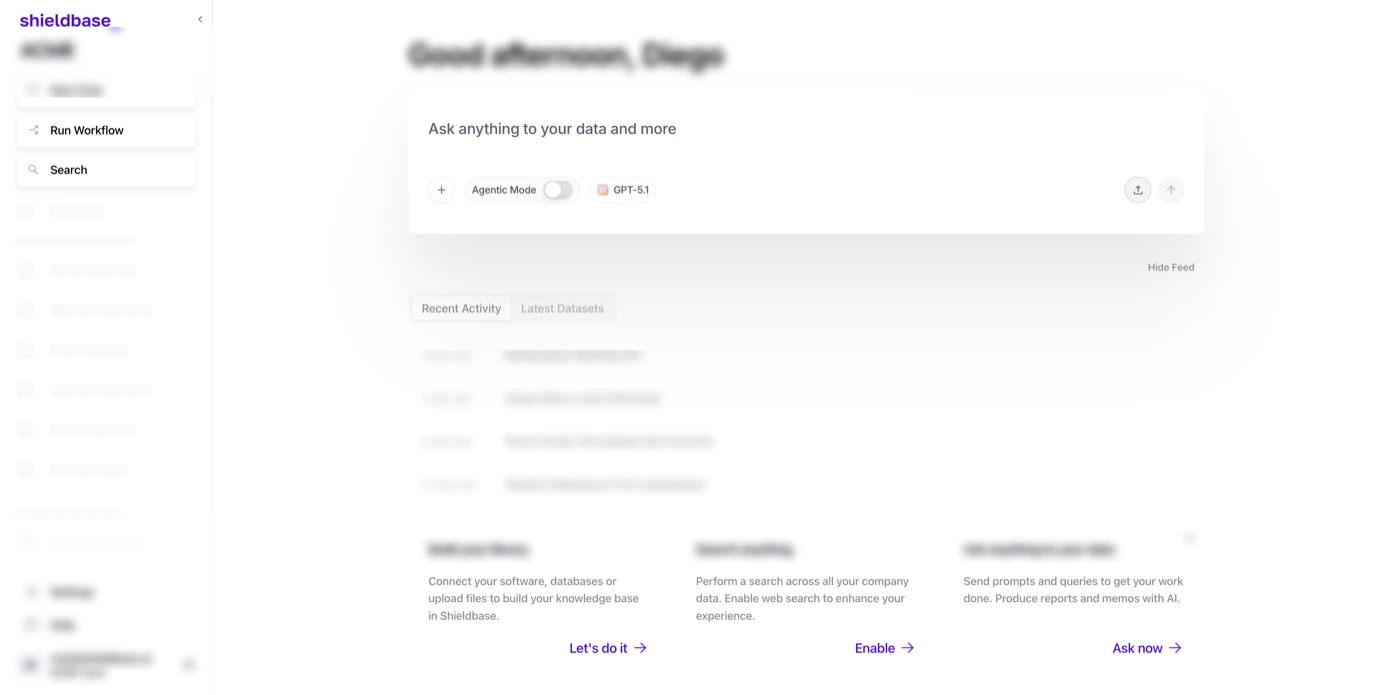
Full Shieldbase conversation workspace showing the AI conversation composer, navigation, and workspace controls. Personal names and conversation titles are blurred.
Conversation workspace. Names, account identifiers, and conversation titles are blurred.

Context

One workspace for asking and getting work done.

Shieldbase brings enterprise AI tools, connected data, and workflow automation into one workspace. Conversations and long-running workflows are core paths through that product, but they ask different things of an interface.

A conversation should feel immediate: someone opens a thread, adds context, chooses how the AI should help, and gets on with their day. A workflow can be the opposite. It may keep running, move through multiple steps, stream updates, or need intervention after the user has navigated away. Treating those two paths as the same kind of interaction makes the product feel unreliable at exactly the moment a team needs confidence.

My work sat across those boundaries: conversation-oriented product surfaces, and the execution controls needed when automation keeps moving in the background.

Explore Shieldbase AI

What I shipped

Two product paths that need to stay dependable.

Conversations provide the front door; workflows carry work forward after a prompt becomes a process. Both need clear next steps and an interface that does not hide what is happening.

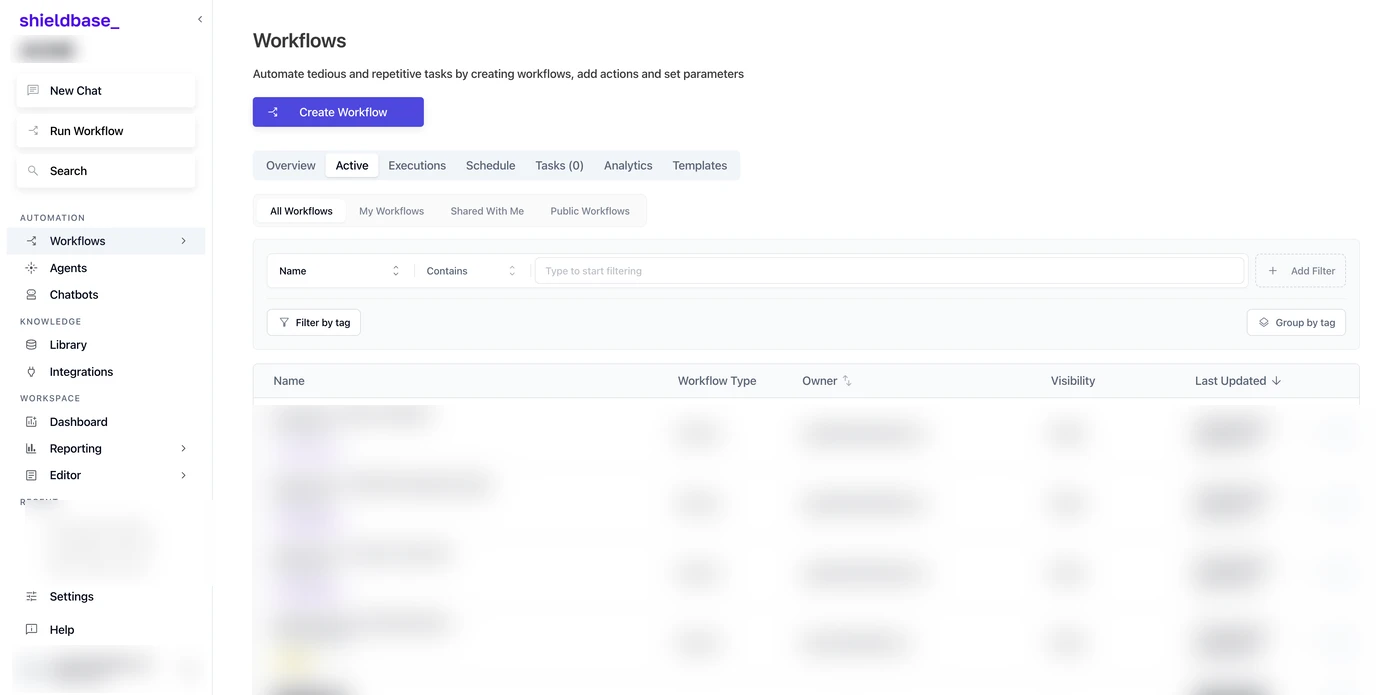
Full Shieldbase workflow workspace with workflow controls, tabs, filters, and a blurred execution list. Names and workflow titles are blurred.
Workflow workspace. Names, workflow titles, owners, and execution data are blurred.

Conversation surfaces

I worked on the flows around starting and returning to AI-assisted conversations, including recent-conversation navigation. The goal was a clear front door to the workspace: start a prompt, attach context, select the mode or model needed, and keep the next action obvious.

Workflow execution controls

I added control paths for stopping long-running workflow executions without treating a disconnected client as a failed run. That distinction matters: closing a tab is not the same as asking a workflow to stop.

Streaming and reconnect support

I worked across the interface and execution service so workflow status can continue to be observed when a session reconnects. Instead of forcing a user to guess whether work is still running, the product can recover the execution context and show its current state.

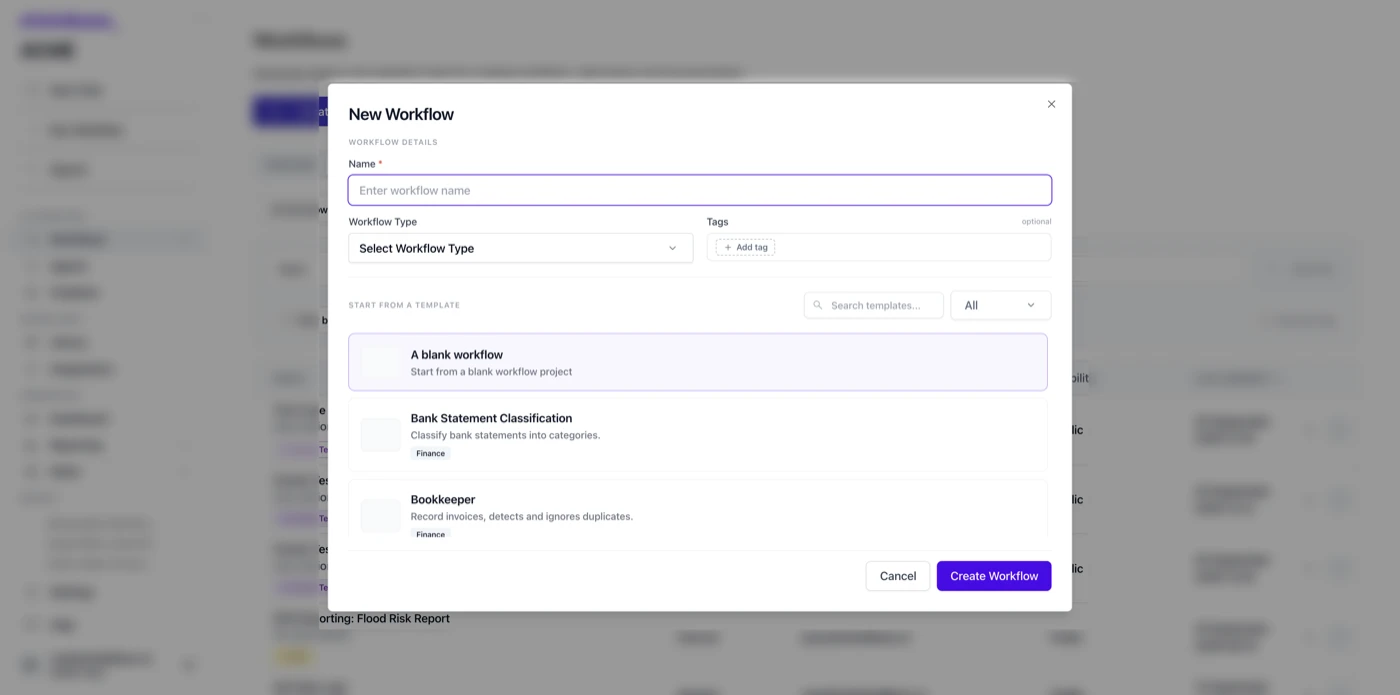
Shieldbase New Workflow builder showing name, workflow type, tags, template search, blank workflow, and example templates. Background workspace data is blurred.
Workflow builder. The builder remains readable; the workspace behind it is blurred.

Building a workflow

Start with the audience and intent, then operate the run.

The builder is deliberately not a blank canvas with a technical setup tax. It starts with the basic identity of a workflow—its name, type, and optional tags—then gives teams a choice between a blank workflow and searchable templates. That lets an experienced operator begin from scratch while giving a less technical team a practical starting point for familiar work.

The workflow type changes the product context. The demo exposes an internal workflow for private team use, an external workflow for collecting input from outside users, and a chatbot workflow for conversation-based use cases.

  1. Name and classify: give the workflow a clear identity, select its type, and add tags when they help the workspace stay organized.
  2. Choose a starting point: start from a blank workflow or search/filter templates by use case and function.
  3. Compose the work: define the actions and parameters needed to automate a repetitive task.
  4. Run in the right context: use the workflow internally, collect external input, or expose it through a chatbot experience.
  5. Operate over time: use the workspace areas for active work, executions, schedules, tasks, analytics, and templates.

Engineering approach

Keep the UI simple while execution keeps moving.

The conversation surface and workflow runtime have to agree on a simple contract: the UI should tell the truth about what a user can do now, while the system retains the state needed to continue that work safely. I kept the conversation entry point focused on the actual decision a user wants to make—ask, attach context, choose a mode, and send—rather than exposing the complexity behind it.

For workflows, the important shift was to treat execution as its own lifecycle. A running workflow has an execution ID, a changing status, events that can be streamed, and a terminal state. The browser is one observer of that lifecycle; it is not the lifecycle itself. That model makes cancellation explicit, allows a client to reconnect, and prevents a temporary network interruption from being confused with a request to stop the work.

  1. Start: create and register a workflow execution so the product has a stable identity for the work in progress.
  2. Observe: stream execution events into the interface, giving users feedback as steps progress rather than a blank waiting state.
  3. Control: expose an explicit stop path and propagate cancellation to the execution instead of relying on UI disappearance.
  4. Recover: let a returning client reconnect to the known execution and resolve whether it is active, complete, failed, or cancelled.

Why this matters

AI automation earns trust when its state is understandable.

For a team, the value is not simply that an AI workflow can run. The value is knowing what it is doing, being able to intervene when it should stop, and returning to it after a connection drops without losing the thread. Those are product details, but they are also operational details: they determine whether automation feels like a dependable teammate or an opaque background process.

Conversation UX carries the same responsibility at a smaller timescale. A user should be able to orient themselves quickly, start with the right context, and resume a recent line of work. When the entry point is clear, teams spend less time figuring out the tool and more time deciding what to do with the answer.

Clear ownership

An explicit execution lifecycle separates a user session from the work being performed, so a temporary disconnect does not silently redefine the state of the job.

Safer intervention

A proper stop control gives teams a deliberate way to halt work that is no longer useful instead of waiting for the interface or connection to decide for them.

Better continuity

Recent conversations and reconnectable workflow state reduce the friction of returning to work after navigating away, refreshing, or losing a network connection.

Scope and confidentiality

Specific about the work, careful about the product.

This case study describes my engineering contribution to product surfaces and execution reliability. It intentionally excludes customer data, tenant details, performance figures, model configuration, internal deployment architecture, and unreleased product plans.

The screenshots are captured from a Shieldbase demo environment and deliberately blur account names, conversation titles, workflow titles, owners, and execution details. They are here to show the interaction model—not to expose the data behind it.